A Beginner's Guide to WASI (WebAssembly System Interface)
WasmHub Team
March 12, 2025 · 8 min read
WebAssembly's original design was deliberately minimal. A Wasm module computes, but it can't read a file, open a socket, print to the terminal, or even tell the time — not without the host environment providing those capabilities explicitly. In a browser, the host is JavaScript. But what about running Wasm on a server, in a CLI tool, or inside a database? That's the problem WASI was built to solve.
What Is WASI?
The WebAssembly System Interface is a standardized set of APIs that define how a Wasm module interacts with the outside world. Think of it as POSIX for WebAssembly — but designed from scratch with security and portability as the primary constraints, not an afterthought.
WASI is maintained by the Bytecode Alliance and implemented by all major runtimes: Wasmtime, Wasmer, WasmEdge, and the WASI runtimes in Deno, Node.js, and Bun. A WASI-compliant binary compiled on your laptop runs unmodified on any of those runtimes, on any architecture, without recompilation.
The Capability Security Model
The most important thing about WASI isn't the list of APIs — it's the security model. WASI uses capabilities: a module can only access a resource if the host explicitly hands it a handle to that resource. No ambient authority, no implicit filesystem access, no sneaking a socket past the sandbox.
In practice this looks like this: when you run a WASI binary, you grant it access to specific directories:
# The module can only see /tmp — nothing else on the filesystem
wasmtime run --dir /tmp my-module.wasm

# Grant two directories
wasmtime run --dir /data --dir /config my-module.wasm

# Map a host path to a different path inside the module
wasmtime run --dir /var/myapp/data::/data my-module.wasm
A module that tries to open("/etc/passwd") without being granted /etc gets a permission error. No firewall rules, no seccomp filters, no container layers — the sandbox is enforced at the API boundary.
Writing Your First WASI Module in Rust
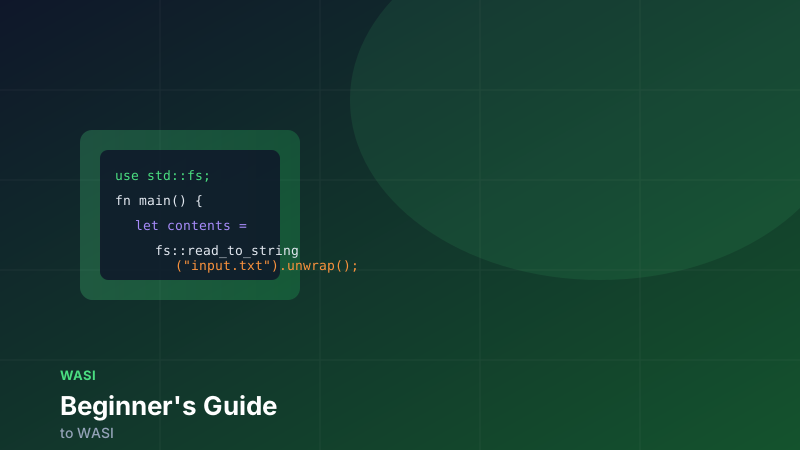
The fastest path to a working WASI module is Rust with the wasm32-wasip1 or wasm32-wasip2 target. Add the target and write a simple program:
rustup target add wasm32-wasip1
cargo new wasi-hello && cd wasi-hello
// src/main.rs
use std::fs;
use std::io::{self, Write};
fn main() {
// These syscalls go through WASI — not the host OS directly
let args: Vec<String> = std::env::args().collect();
let name = args.get(1).map(String::as_str).unwrap_or("world");
// Write to stdout via WASI fd_write
println!("Hello, {}!", name);
// Read a file via WASI path_open + fd_read
if let Ok(contents) = fs::read_to_string("greeting.txt") {
print!("File says: {}", contents);
}
// Write a file via WASI path_open (with write flag) + fd_write
let mut output = fs::File::create("output.txt")
.expect("need write access to current dir");
writeln!(output, "Written by WASI at runtime").unwrap();
}cargo build --target wasm32-wasip1 --release
# Run it — grant access to the current directory
wasmtime run \
--dir . \
target/wasm32-wasip1/release/wasi-hello.wasm \
-- WasmHubEvery println!, File::open, and File::create call compiles to a WASI host function import — fd_write, path_open, fd_read. The Rust standard library handles the translation; you write idiomatic Rust and WASI handles the rest.
WASI Versions: Preview 1, 0.2, and 0.3
WASI has gone through three major milestones. The numbering can be confusing, so here's how they line up.
WASI Preview 1 (the wasi_snapshot_preview1 ABI) is the legacy POSIX-shaped ABI you'll still find in many runtimes and language targets. It covers the basics: filesystems, clocks, random number generation, environment variables, and process exit. It's stable and well-supported, but new work has moved off it. If you're starting a new project in 2026, target WASI 0.2 or 0.3 instead — Preview 1 is kept around for compatibility with existing modules.
WASI 0.2 (formerly "WASI Preview 2") has been the stable Component-Model-based release since January 25, 2024 — about 30 months ago, not "recently." It is built entirely on the Component Model and described with WIT (WebAssembly Interface Types). The same capabilities become typed interfaces:
// WASI 0.2 filesystem interface (simplified)
package wasi:filesystem@0.2.0;

interface types {
  resource descriptor {
    read: func(length: filesize) -> result<tuple<list<u8>, bool>, error-code>;
    write: func(buffer: list<u8>) -> result<filesize, error-code>;
    stat: func() -> result<descriptor-stat, error-code>;
  }
}
WASI 0.2 supports richer types (strings, records, variants), enables composition between WASI modules, and adds the networking APIs Preview 1 was missing. The wasm32-wasip2 target has been stable in Rust since version 1.78 (June 2024), so the toolchain story is mature.
WASI 0.3 was ratified on 2026-06-11 and is the current target for new work. Its headline change is native async built on Wasm's stack-switching proposal: components declare async func directly, return future<T> from calls, and stream data via stream<T>. There's no more three-step start-foo / finish-foo / subscribe dance — you write await the same way you would in async Rust or JavaScript. Wasmtime 46 will ship with WASI 0.3 enabled by default, and the jco toolchain already supports it. If you're starting a new project in 2026, target WASI 0.3 from day one.
What WASI Covers Today
| Interface | Preview 1 | WASI 0.2 | WASI 0.3 |
|---|---|---|---|
| Filesystem (read/write) | ✅ | ✅ (typed) | ✅ (typed) |
| Clocks & time | ✅ | ✅ | ✅ (POSIX-shaped) |
| Random numbers | ✅ | ✅ | ✅ |
| Environment variables | ✅ | ✅ | ✅ |
| TCP/UDP sockets | ❌ | ✅ (wasi:sockets) | ✅ (wasi:sockets) |
| HTTP client | ❌ | ✅ (wasi:http) | ✅ (wasi:http, with service/middleware worlds) |
| Threads | ❌ | 🚧 Phase 1 | 🚧 Phase 1 (landing in runtimes) |
| Async I/O | ❌ | ❌ | ✅ (native async func, future<T>, stream<T>) |
The addition of wasi:sockets and wasi:http in WASI 0.2 is what made WASI practical for real network services: modules can open TCP connections and make HTTP requests without any JavaScript glue — the runtime provides the capability handle and the module uses it directly. WASI 0.3 builds on that with the new wasi:http/service and wasi:http/middleware worlds, which let you chain HTTP services in-process without crossing a network boundary.
Running WASI Modules in JavaScript Environments
WASI isn't just for CLI tools and servers. Node.js 22+ and Deno 1.40+ include built-in WASI support:
// Node.js 22+ — built-in WASI module
import { WASI } from 'wasi'
import { readFile } from 'fs/promises'

const wasi = new WASI({
  version: 'preview1',
  args: ['my-module', '--verbose'],
  env: { LOG_LEVEL: 'info' },
  preopens: {
    '/data': '/var/myapp/data',  // virtual path : real path
  },
})

const wasm = await WebAssembly.compile(
  await readFile('./my-module.wasm')
)

const instance = await WebAssembly.instantiate(wasm, wasi.getImportObject())
wasi.start(instance)
The preopens map is the capability grant — it's the Node.js equivalent of --dir in wasmtime run. The module sees /data; the host controls what /data maps to.
Where WASI Is Headed
WASI 0.3 is here — ratified 2026-06-11, with Wasmtime 46 default-enabling it soon. Its async ABI is what unlocks genuinely practical network services: components handle many concurrent connections on a single thread using await, the same mental model as async Rust or JavaScript. For wasi:http in particular, the new service and middleware worlds let you chain HTTP calls in-process, which the Bytecode Alliance pegs at "milliseconds to nanoseconds — six orders of magnitude" for microservice-to-microservice calls.
Beyond the 0.3 core, the working groups are specifying interfaces at different maturity phases (tracked in the WASI Proposals.md doc):
wasi:keyvalue— KV store access (Redis, DynamoDB, etc.) — Phase 2 (proposed spec text available)wasi:messaging— Kafka-style message queues — Phase 2wasi:gpu/ GFX — Compute shader access via WebGPU — Phase 2wasi:sql— Relational database queries — Phase 1 (feature proposal)wasi:threads— Native threading for components — Phase 1, with Phase-1 components beginning to land in runtimes
Each of these follows the same pattern: a WIT interface that any runtime can implement, so your module stays portable while the host provides the real backend. The Component Model 1.0 roadmap was published 2026-06-08, so expect phases to move quickly through 2026 and 2027.
The Big Picture
WASI turns WebAssembly into a universal application platform. Write your code once, compile to Wasm, and run it on any WASI-compliant runtime — Wasmtime on Linux, WasmEdge in a Kubernetes pod, Fermyon Spin on a serverless platform, or the built-in WASI in Deno. The capability model gives platform operators fine-grained control over what each module can access, without managing containers or writing custom security policies.
If you've been thinking of Wasm as a browser technology, WASI is the piece that makes it a general-purpose computing substrate. It's worth learning now.