Compiling C/C++ to WebAssembly with Emscripten
WasmHub Team
March 19, 2025 · 7 min read
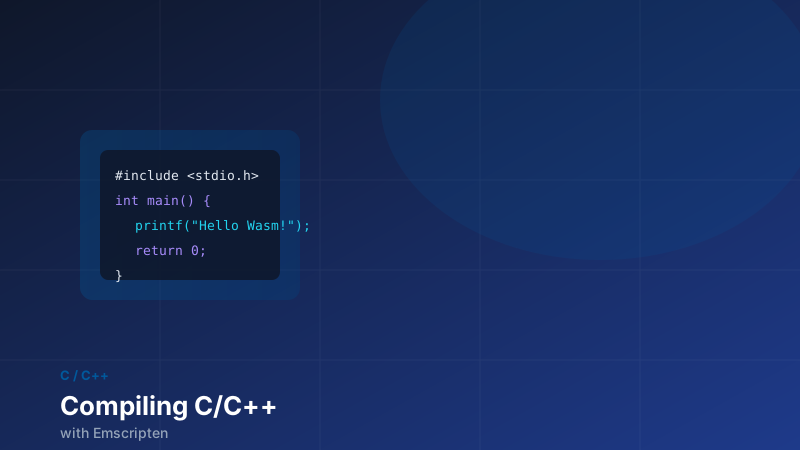
Hundreds of millions of lines of high-performance C and C++ code exist in the world — game engines, image codecs, physics libraries, compression algorithms, database engines. Emscripten is the toolchain that brings all of it to the web without a rewrite. It compiles C and C++ to WebAssembly (with a JavaScript glue layer), emulates POSIX APIs, translates OpenGL to WebGL, and wraps pthreads with SharedArrayBuffer-backed atomics.
This tutorial walks through the full workflow: installation, a minimal example, exposing functions to JavaScript, handling memory, linking third-party libraries, and optimizing the output.
Installation via emsdk
The recommended way to install Emscripten is through emsdk, the Emscripten SDK manager:
git clone https://github.com/emscripten-core/emsdk.git
cd emsdk

# Install and activate the latest stable release
./emsdk install latest
./emsdk activate latest

# Add emcc to your PATH for this session
source ./emsdk_env.sh   # Linux/macOS
# emsdk_env.bat         # Windows

# Verify
emcc --version
# emcc (Emscripten gcc/clang-like replacement) 6.0.0
emcc is a drop-in replacement for gcc/clang. Most codebases that build with a C compiler will build with emcc by changing one variable in their build system.
A Minimal Example
Start with a simple C function you want to call from JavaScript:
// math_utils.c
#include <math.h>
#include <emscripten/emscripten.h>

// EMSCRIPTEN_KEEPALIVE prevents dead-code elimination
// and ensures the symbol is exported to JavaScript
EMSCRIPTEN_KEEPALIVE
double fast_hypot(double x, double y) {
    return sqrt(x * x + y * y);
}

EMSCRIPTEN_KEEPALIVE
int is_prime(int n) {
    if (n < 2) return 0;
    for (int i = 2; (long long)i * i <= n; i++) {
        if (n % i == 0) return 0;
    }
    return 1;
}
Compile it:
emcc math_utils.c \
  -O2 \
  -o math_utils.js \
  -s EXPORTED_FUNCTIONS='["_fast_hypot", "_is_prime"]' \
  -s EXPORTED_RUNTIME_METHODS='["ccall", "cwrap"]'
This produces math_utils.js (the glue) and math_utils.wasm (the binary). Load them in the browser:
<script src="math_utils.js"></script>
<script>
  // Wait for the module to finish initializing
  Module.onRuntimeInitialized = function () {
    // cwrap creates a JavaScript wrapper with type annotations
    const fastHypot = Module.cwrap('fast_hypot', 'number', ['number', 'number'])
    const isPrime   = Module.cwrap('is_prime',   'number', ['number'])

    console.log(fastHypot(3, 4))  // 5
    console.log(isPrime(97))      // 1
    console.log(isPrime(100))     // 0
  }
</script>
cwrap handles the function signature for you — 'number' maps to C double/int, 'string' marshals a null-terminated C string, and 'array' copies a JavaScript typed array into Wasm heap memory.
Handling Strings and Buffers
Strings and binary buffers require more care because they live in Wasm's linear memory, not in JavaScript's heap. Emscripten provides helper functions:
// string_demo.c
#include <string.h>
#include <stdlib.h>
#include <emscripten/emscripten.h>

// Returns a pointer to a string in Wasm heap memory.
// JavaScript must call free() on it when done.
EMSCRIPTEN_KEEPALIVE
char* greet(const char* name) {
    const char* prefix = "Hello, ";
    size_t len = strlen(prefix) + strlen(name) + 2;
    char* result = (char*)malloc(len);
    snprintf(result, len, "%s%s!", prefix, name);
    return result;
}

EMSCRIPTEN_KEEPALIVE
void free_string(char* ptr) {
    free(ptr);
}Module.onRuntimeInitialized = function () {
const greet = Module.cwrap('greet', 'number', ['string'])
const freeString = Module.cwrap('free_string', null, ['number'])
// cwrap's 'string' input type handles the JS→C encoding
const ptr = greet('WasmHub')
// Read the result back from Wasm memory
const result = Module.UTF8ToString(ptr)
console.log(result) // "Hello, WasmHub!"
// Always free Wasm-allocated memory when done
freeString(ptr)
}For binary buffers — image data, audio samples, compressed archives — use Module._malloc and Module.HEAPU8 to work directly with Wasm heap memory:
const byteLength = 1024
const ptr = Module._malloc(byteLength)

// Write into Wasm memory
const heap = new Uint8Array(Module.HEAPU8.buffer, ptr, byteLength)
heap.set(myInputData)

// Call C function
const resultPtr = Module._process_buffer(ptr, byteLength)

// Read result
const output = new Uint8Array(Module.HEAPU8.buffer, resultPtr, byteLength).slice()

Module._free(ptr)
Module._free(resultPtr)
Emulating the POSIX Filesystem
Emscripten ships a virtual in-memory filesystem (MEMFS) by default. Any code that calls fopen, fread, fwrite, or fclose works as expected — the files just live in memory rather than on disk.
To pre-load files at compile time (useful for assets, data files, or lookup tables):
emcc my_app.c \
  -o my_app.js \
  --preload-file assets/       # mounts entire directory as /assets/
  --preload-file data.bin      # mounts a single file
The files are bundled into a .data package downloaded alongside the .js file. At runtime, fopen("/assets/texture.png", "rb") works exactly as it would natively.
For persistent storage, use IDBFS (IndexedDB-backed) or NODEFS (Node.js filesystem, for server-side use):
// Mount IndexedDB as /persist at runtime
EM_ASM({
    FS.mkdir('/persist');
    FS.mount(IDBFS, {}, '/persist');
    FS.syncfs(true, function(err) {
        // true = populate from IndexedDB → MEMFS
        ccall('app_start', null, null, null);
    });
});

// Sync changes back to IndexedDB when done
EM_ASM({ FS.syncfs(false, function(err) {}); });
Useful Compilation Flags
| Flag | Effect |
|---|---|
-O2 / -O3 | Optimize; -O3 is slower to compile but produces smaller, faster Wasm |
-Os / -Oz | Optimize for size; -Oz is the most aggressive |
--closure 1 | Run Google Closure Compiler on the JS glue (reduces JS bundle size) |
-s ALLOW_MEMORY_GROWTH=1 | Allow the Wasm heap to grow at runtime (off by default) |
-s INITIAL_MEMORY=64MB | Set the initial heap size (default is 16 MB) |
-s SINGLE_FILE=1 | Inline the .wasm binary as a base64 blob in the .js file |
-s MODULARIZE=1 | Wrap the output in a factory function (good for bundlers) |
-s USE_SDL=2 | Link SDL2 (Emscripten ships precompiled ports of common libs) |
-s USE_PTHREADS=1 | Enable thread support via SharedArrayBuffer |
--emit-tsd | Emit a TypeScript .d.ts declaration file |
The MODULARIZE flag is particularly useful when integrating with a bundler:
emcc my_app.c -O2 -o my_app.js -s MODULARIZE=1 -s EXPORT_NAME=createMyAppimport createMyApp from './my_app.js'
const Module = await createMyApp({
locateFile: (path) => `/wasm/${path}`, // tell it where to find .wasm
})
const result = Module.ccall('my_function', 'number', ['number'], [42])Porting a Real Library: libpng
To show how the workflow scales, here's how to compile libpng (a library that has never been touched for Wasm) and call it from JavaScript. Emscripten ships precompiled ports of common libraries — you don't even need to download libpng yourself:
emcc decode_png.c \
  -O2 \
  -s USE_LIBPNG=1 \
  -s ALLOW_MEMORY_GROWTH=1 \
  -s EXPORTED_FUNCTIONS='["_decode_png_size", "_decode_png_data", "_free"]' \
  -s EXPORTED_RUNTIME_METHODS='["ccall", "cwrap", "HEAPU8"]' \
  -o decode_png.js
The -s USE_LIBPNG=1 flag downloads, compiles, and links the Emscripten port of libpng automatically. The same flag exists for USE_ZLIB, USE_LIBJPEG, USE_SDL, USE_FREETYPE, USE_HARFBUZZ, and dozens of other commonly used libraries.
Optimizing Output Size
A freshly compiled Wasm binary is often larger than it needs to be. Run it through wasm-opt from the Binaryen toolkit for an additional 10–30% size reduction:
# Install binaryen
brew install binaryen   # macOS
apt install binaryen    # Ubuntu

# Optimize the .wasm file in-place
wasm-opt -O3 --strip-debug my_app.wasm -o my_app.opt.wasm
For production builds, Emscripten can invoke wasm-opt automatically:
emcc my_app.c -O3 --closure 1 -o my_app.js
# -O3 with Emscripten already runs wasm-opt internally
Check your final binary size with:
ls -lh my_app.wasm
gzip -k my_app.wasm && ls -lh my_app.wasm.gz   # gzipped transfer size
Common Pitfalls
Memory growth errors — By default, the Wasm heap is fixed at 16 MB. Any malloc that would exceed it returns NULL, crashing the C code. Add -s ALLOW_MEMORY_GROWTH=1 or increase -s INITIAL_MEMORY for anything non-trivial.
Blocking the main thread — Emscripten's POSIX emulation can't truly block (there's only one browser thread). Code using sleep(), blocking I/O, or pthread_join on the main thread requires either the Asyncify transformation (-s ASYNCIFY=1, which rewrites the call stack) or moving work to a Web Worker with -s USE_PTHREADS=1.
Dead code elimination — The linker aggressively strips unused functions. If you call functions dynamically (via function pointers) or from JavaScript by name, mark them with EMSCRIPTEN_KEEPALIVE or list them in EXPORTED_FUNCTIONS.
Emscripten is a mature, battle-tested toolchain. Once you understand the memory model and the JS/Wasm boundary, porting most C and C++ libraries is a matter of adjusting a handful of flags rather than rewriting code.