Running Python in the Browser with Pyodide and WebAssembly
WasmHub Team
April 2, 2025 · 8 min read
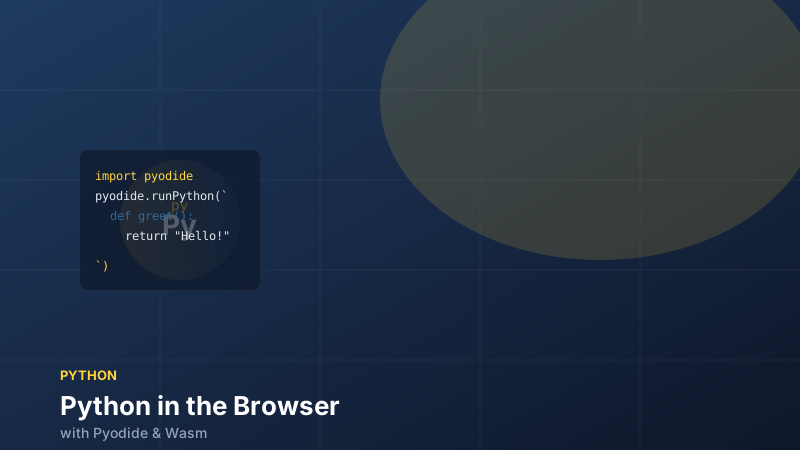
Running Python in the browser sounds like it shouldn't work — CPython is a C application with a garbage collector, a global interpreter lock, and a vast ecosystem of C extension modules. And yet, Pyodide does exactly this, and does it remarkably well. It's CPython 3.13 compiled to WebAssembly, with NumPy, Pandas, Matplotlib, scikit-learn, and over 100 other scientific packages pre-compiled and ready to use. Pyodide 0.29.4 is the current stable release.
This tutorial covers the fundamentals of using Pyodide in a web application, the bidirectional bridge between Python and JavaScript, how to load third-party packages, and the real-world limitations you need to plan around.
Loading Pyodide
The simplest way to get started is via the CDN. Pyodide's loader is an ES module:
<!DOCTYPE html>
<html lang="en">
<head>
  <meta charset="UTF-8" />
  <title>Pyodide Demo</title>
</head>
<body>
  <pre id="output"></pre>
  <script type="module">
    import { loadPyodide } from 'https://cdn.jsdelivr.net/pyodide/v0.29.4/full/pyodide.mjs'

    const output = document.getElementById('output')

    // loadPyodide downloads ~30 MB of Wasm + stdlib — show a loading state
    const pyodide = await loadPyodide({
      // Redirect Python's stdout/stderr to the page
      stdout: (text) => { output.textContent += text + '\n' },
      stderr: (text) => { output.textContent += '[err] ' + text + '\n' },
    })

    // Run Python directly from a string
    await pyodide.runPythonAsync(`
      import sys
      print(f"Python {sys.version}")
      print("Hello from WebAssembly!")
    `)
  </script>
</body>
</html>
runPythonAsync is the preferred entry point — it handles microtask yielding correctly and keeps the browser responsive during long computations. runPython (synchronous) exists but will block the main thread.
For production use, self-host the Pyodide distribution to control the version and avoid CDN availability issues:
npm install pyodideimport { loadPyodide } from 'pyodide'
const pyodide = await loadPyodide({
indexURL: '/assets/pyodide/', // path to your self-hosted distribution
})Running Python and Getting Results
runPythonAsync returns the last evaluated expression, converted to a JavaScript value:
// Primitive types convert automatically
const result = await pyodide.runPythonAsync(`
  import math
  math.sqrt(2)
`)
console.log(result)  // 1.4142135623730951 (a JS number)

// Lists become PyProxy objects — call .toJs() to get a real JS array
const primes = await pyodide.runPythonAsync(`
  def sieve(n):
      is_prime = [True] * (n + 1)
      is_prime[0] = is_prime[1] = False
      for i in range(2, int(n**0.5) + 1):
          if is_prime[i]:
              for j in range(i*i, n+1, i):
                  is_prime[j] = False
      return [i for i in range(n+1) if is_prime[i]]

  sieve(50)
`)
console.log(primes.toJs())  // [2, 3, 5, 7, 11, 13, ..., 47]
primes.destroy()             // release the Python object
The .toJs() call is important: Python objects are represented in JavaScript as PyProxy objects — references to objects in Python's heap. Calling .toJs() does a deep conversion to a native JavaScript structure. For large data structures (a 10 MB NumPy array), you usually want to avoid copying and instead use the shared memory path described below.
The JavaScript ↔ Python Bridge
Pyodide's most powerful feature is its bidirectional bridge. Python code can call JavaScript functions, and JavaScript code can call Python functions, with automatic type conversion for primitives and proxy objects for everything else.
JavaScript → Python:
// Expose a JavaScript function to Python
pyodide.globals.set('js_fetch_json', async (url) => {
  const res = await fetch(url)
  return res.json()
})

await pyodide.runPythonAsync(`
  import json
  from js import js_fetch_json

  # Call the JavaScript function from Python
  data = await js_fetch_json('https://api.example.com/data')
  print(data['name'])  # data is a JsProxy — attribute access is proxied
`)
Python → JavaScript:
// Define a Python function and call it from JS
await pyodide.runPythonAsync(`
  def process_data(values):
      import statistics
      return {
          'mean': statistics.mean(values),
          'stdev': statistics.stdev(values),
          'median': statistics.median(values),
      }
`)

const processData = pyodide.globals.get('process_data')
const result = processData([12.5, 14.3, 11.8, 16.1, 13.7])
console.log(result.toJs())
// Map { 'mean' => 13.68, 'stdev' => 1.56, 'median' => 13.7 }

processData.destroy()
result.destroy()
The .destroy() calls explicitly release Python objects from JavaScript. Without them, the objects stay alive until Pyodide's internal GC runs. For long-lived applications, leaking PyProxy objects will gradually exhaust memory.
Installing Packages with micropip
Pyodide ships a curated set of packages that are pre-compiled to WebAssembly. For everything else, micropip can install pure-Python packages from PyPI:
import micropip

# Install a pure-Python package from PyPI
await micropip.install('cowsay')

import cowsay
cowsay.cow('WebAssembly is amazing')
For packages with C extensions (those with .so files or that compile native code during pip install), they must be explicitly compiled for WebAssembly and included in Pyodide's package index. The Pyodide team maintains builds of the most popular scientific packages — the full list is at pyodide.org/en/stable/usage/packages-in-pyodide.html.
To use NumPy and Pandas, which are pre-compiled in Pyodide's distribution:
// loadPackage is faster than micropip for packages in Pyodide's index
await pyodide.loadPackage(['numpy', 'pandas', 'matplotlib'])

const result = await pyodide.runPythonAsync(`
  import numpy as np
  import pandas as pd

  # Create a DataFrame and compute descriptive statistics
  rng = np.random.default_rng(seed=42)
  df  = pd.DataFrame({
      'A': rng.normal(loc=0, scale=1, size=1000),
      'B': rng.exponential(scale=2, size=1000),
  })

  df.describe().to_dict()
`)
console.log(result.toJs())
Sharing Data Efficiently: NumPy ↔ JavaScript
Copying large arrays between Python and JavaScript is expensive. For NumPy arrays, Pyodide provides zero-copy sharing via JavaScript typed arrays that point directly into Wasm linear memory:
// Zero-copy: get a JavaScript view of a NumPy array's buffer
const npArray = await pyodide.runPythonAsync(`
  import numpy as np
  arr = np.arange(1_000_000, dtype=np.float64)
  arr
`)

// This does NOT copy — it's a view into the same Wasm memory
const jsView = npArray.getBuffer()
const float64Array = jsView.data  // Float64Array pointing into Wasm memory

// Modify in-place from JavaScript (modifies the numpy array too)
float64Array[0] = 999.0

// Read back in Python — the change is visible
await pyodide.runPythonAsync(`print(arr[0])`)  // 999.0

jsView.release()    // release the buffer lock
npArray.destroy()
This pattern is essential for performance-critical applications: render pipeline, signal processing, ML preprocessing — anything where you'd otherwise be copying megabytes across the boundary.
Running in a Web Worker
Pyodide's main thread usage blocks the UI. For any non-trivial computation, run it in a Web Worker:
// worker.js
import { loadPyodide } from 'pyodide'

let pyodide

self.onmessage = async ({ data: { code, id } }) => {
  if (!pyodide) {
    pyodide = await loadPyodide()
    await pyodide.loadPackage(['numpy'])
  }

  try {
    const result = await pyodide.runPythonAsync(code)
    self.postMessage({ id, result: result?.toJs?.() ?? result })
  } catch (err) {
    self.postMessage({ id, error: err.message })
  }
}
// main.js
const worker = new Worker(new URL('./worker.js', import.meta.url), {
type: 'module',
})
function runPython(code) {
return new Promise((resolve, reject) => {
const id = crypto.randomUUID()
worker.postMessage({ code, id })
worker.addEventListener('message', function handler({ data }) {
if (data.id !== id) return
worker.removeEventListener('message', handler)
data.error ? reject(new Error(data.error)) : resolve(data.result)
})
})
}
const primes = await runPython('sieve(10_000)')The worker approach keeps the main thread responsive and also sidesteps the (effectively unused) GIL — each worker has its own Pyodide instance.
Real Limitations to Know
Binary size. The base Pyodide download is ~30 MB (Wasm + Python stdlib). NumPy adds another ~10 MB. This is not suitable for public-facing pages where first load time matters, but it works well for dashboards, internal tools, notebooks, and educational environments where users are willing to wait.
No true parallelism. There's only one Python GIL per Pyodide instance, and it can't be shared across Web Workers. Running multiprocessing or threading in the typical Python sense doesn't work — use multiple Worker instances instead.
No raw sockets. Python's socket module and anything built on top of it (HTTP clients like requests, database drivers, etc.) won't work unmodified in the browser because Wasm has no raw socket access. Use micropip to install pyodide-http, which patches urllib and requests to use fetch under the hood.
Package compatibility. C extension packages that aren't in Pyodide's index simply won't install. Check the package list before assuming your dependency tree will work.
Where Pyodide Shines
Despite the limitations, Pyodide is genuinely transformative for the right use cases:
- Interactive notebooks — Jupyter Lite runs entirely in the browser with zero backend. Learners can experiment with NumPy and Matplotlib without installing Python.
- Client-side data processing — Parse CSVs, run statistical models, and generate charts without uploading user data to a server.
- Education platforms — Allow students to run and submit Python code exercises in the browser.
- Internal dashboards — For teams that already use Python for data work, Pyodide lets them build interactive UIs without a Python backend.
Production Packaging: Shipping Python as a Component
If your goal is to ship Python code as a reusable, embeddable artifact (especially in a polyglot Wasm component model stack), Pyodide isn't the right tool — the runtime is browser-shaped, not component-shaped. The modern path is componentize-py, the Bytecode Alliance's toolchain for compiling Python (with its dependencies) into a WASI 0.2 component. As of 2026, componentize-py 0.24.0 is the current release, and it produces components that can be composed with Rust, JavaScript, and Go hosts in the standard Wasm component ecosystem.
Pyodide is proof that "run it in the browser" is no longer a constraint on what language or library you use. It's a remarkable piece of engineering, and it keeps getting faster with every Python and Wasm release.